

Quotex Trading Hours for Indian Traders Explained
📈 Discover everything about Quotex trading hours in India 🇮🇳, including IST timings, best trading windows, tips for smooth trades, and FAQs answered.
Edited By
Edward Shaw
Choosing the right tablet for trading matters more than many traders realise. Whether you deal in stocks, forex, or cryptocurrencies, a tablet can offer flexibility and mobility beyond traditional desktops or laptops. But not every tablet fits the bill for trading tasks that demand speed, clear visuals, and fast connectivity.
In India’s diverse market, traders juggle factors like internet availability, platform compatibility, and pocket-friendly pricing. This guide focuses on tablets that suit Indian traders’ needs, highlighting features that improve trading efficiency and security.
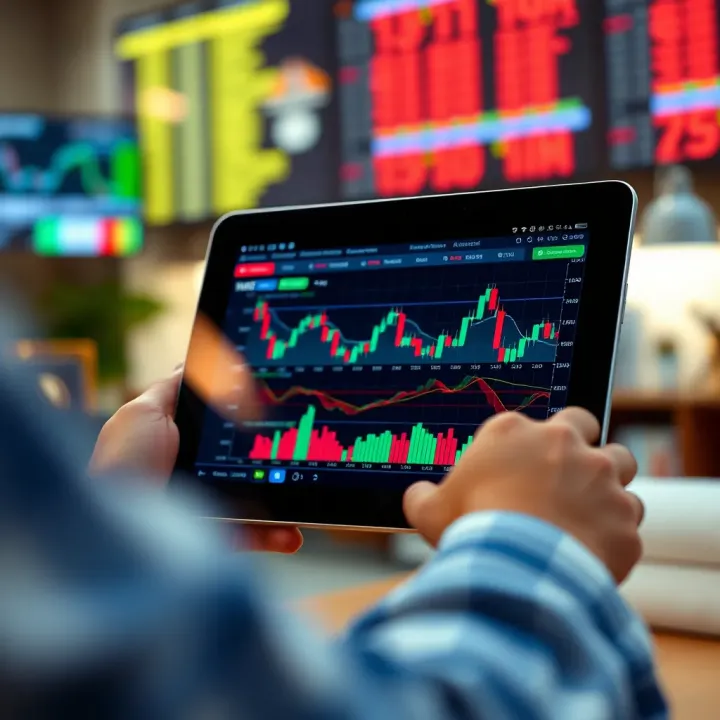
A trading tablet should be responsive so you can act swiftly on market movements. Screen quality is key too — a sharp display with good colour accuracy and adequate size helps spot trends and read charts clearly. Since trades often happen live, stable internet connectivity matters a lot, whether through Wi-Fi or 4G/5G.
Security is often understated but crucial. Your trading data and credentials must be safeguarded through biometric locks or robust app permissions. Portability with decent battery life ensures you can trade through the day without running out of power during critical market hours.
Many traders rely on popular Indian platforms like Zerodha Kite, Upstox, or Groww, so tablets must run their apps smoothly. Budget constraints make value-for-money devices attractive; after all, spending ₹20,000 on a tablet just to check stock prices may not make sense.
Tablets that balance performance with affordability tend to be preferred in tier-2 and tier-3 cities, where connectivity might fluctuate and cost matters more.
Cross-checking compatibility with UPI-based payment apps and secure login facilities adds an extra layer of convenience for Indian traders who prefer all-in-one devices for both trading and payments.
Prioritise tablets with at least 4GB RAM for smooth multitasking.
Look for a display of 10 inches or more for detailed chart visibility.
Check if the tablet supports 4G/5G SIM cards, especially if you trade outside metro areas.
Battery life of 8 hours or more prevents midday power issues.
Consider Android tablets for wider app support; iPads often come with a higher price tag.
Choosing your trading tablet well will improve your ability to monitor prices closely and execute trades swiftly, adapting seamlessly to market shifts. The right device, matched with your trading style, is always a smart investment.
Choosing the right tablet for trading is more than just picking a device with a colourful screen; it affects your ability to monitor markets, execute trades swiftly, and stay connected. Traders need a tablet that balances display clarity, performance, battery life, and security — especially in India, where connectivity and after-sales support can vary dramatically.
Resolution and Colour Accuracy matter a lot for traders who rely on charts and candlestick patterns. A tablet with full HD resolution or better ensures you don’t miss subtle colour changes that indicate price movements. For example, a device with poor colour accuracy might render green and red candlesticks indistinctly, leading to confusion. Devices like the Apple iPad Pro offer wide colour gamut and True Tone displays, enhancing visual precision.
Screen Size for Comfortable Use is about striking a balance between portability and space to view multiple data points. A 10-inch or larger screen allows detailed chart analysis without constant zooming or scrolling. But larger screens can be heavier and less pocket-friendly, which might not suit traders commuting daily. For instance, Samsung’s Galaxy Tab S7 offers a 11-inch display, making it comfortable for extended use, yet easy to carry.
Processor Specifications directly impact how smoothly trading apps run. A tablet with a recent-generation processor, such as Apple’s A14 Bionic or Snapdragon 865+, handles real-time data feeds and rapid order execution without lag. This is particularly useful when reacting to sudden market shifts, where seconds matter.
RAM and Multitasking Capability ensure you can run multiple apps like trading platforms, news feeds, and charts simultaneously. At least 4GB RAM is advisable, though 6GB or more provides comfort when toggling between tasks. Traders using complex software like MetaTrader alongside brokerage apps will notice smoother switching with higher RAM.
Long battery life is crucial for traders who may spend hours monitoring markets without frequent access to charging points. Tablets offering 10 hours or more of active use help traders avoid interruptions during crucial market hours, whether trading from a café in Mumbai or a home office in Pune.
Traders often store large datasets, historical charts, and video tutorials. Adequate onboard storage (64GB minimum) keeps essentials handy. Expandable storage via microSD can be a plus in Android tablets but is unavailable on iPads, meaning cloud storage use is common. Balance storage with cloud backup to avoid missing necessary files.
4G/5G Support for On-the-Go Trading lets traders stay connected in areas without stable Wi-Fi. India’s expanding 5G network means tablets supporting these bands offer faster, more reliable data, which reduces latency—critical for executing timely trades. Devices without cellular support limit you to Wi-Fi only, which might not work well when travelling or during power outages.
Wi-Fi Reliability plays a vital role when working from home or cafés. Support for Wi-Fi 6 or at least 802.11ac ensures better speed and range, helping traders receive real-time updates without buffering.
Biometric Authentication like fingerprint sensors or Face ID adds a layer of convenience and security, making it quicker to unlock the device without compromising protection. Since financial apps hold sensitive information, this feature keeps unauthorised users at bay.
Data Encryption and App Security safeguard user data from cyber threats. Devices with regular software updates and built-in encryption help protect trading passwords and transaction data. For example, iPads often have stronger hardware-backed security, while Android devices depend on manufacturer updates, so check update frequency before buying.
Picking a tablet is a strategic decision for traders. Prioritising these key features ensures you can trade efficiently, securely, and without frustration, wherever you are in India.
Choosing the right tablet for trading in India means balancing performance, price, and after-sales support. Indian traders often need reliable devices that handle multiple trading apps smoothly and offer strong connectivity, especially given varying network conditions across urban and rural areas. Brands like Apple, Samsung, Lenovo, and Microsoft provide options that cover different needs and budgets.
iPad Air and Pro Models: The iPad Air and Pro models stand out for their crisp Retina displays and powerful processors like the M1 or M2 chips, ensuring lightning-fast app performance and multitasking. Traders benefit from the iPad Pro's larger screen options—11 or 12.9 inches—which make monitoring charts and multiple windows easier. Battery life on these models typically lasts a full trading day, reducing the need to charge frequently during hectic market hours.
Compatibility with Trading Apps: iPads support all major Indian trading apps such as Zerodha Kite, Upstox, and Angel Broking without hiccups. The iOS ecosystem maintains high app security, reducing concerns around data encryption and unauthorised access. Plus, regular iOS updates help fix bugs and improve app compatibility, making iPads a stable choice for serious traders.
Galaxy Tab S Series Overview: Samsung’s Galaxy Tab S series offers high-resolution AMOLED screens that display vibrant colours, ideal for reading detailed stock graphs. The latest models come with speedy Exynos or Snapdragon processors, ensuring smooth performance during quick trade executions. Sizes usually range from 11 to 12.4 inches, fitting comfortably in bags for traders on the move.
Features Relevant for Traders: The Galaxy Tab S tablets include S Pen support, which some traders find useful for quickly jotting down notes or marking stock charts. They also have excellent battery life extending beyond 10 hours under typical use. Furthermore, Samsung’s Knox security platform adds a robust layer of protection, safeguarding sensitive financial information.
Lenovo Tab Series: Lenovo offers tablets with decent specifications that suit beginner traders or those needing a secondary device. While not as powerful as the Apple or Samsung flagships, models like the Lenovo Tab P11 provide sharp displays and solid multitasking capability at a more affordable price.
Microsoft Surface Go: The Surface Go runs Windows, which means traders can use desktop-grade trading software and tools not available on mobile OS. It’s compact and supports a detachable keyboard, making it a hybrid between a tablet and a laptop. However, it tends to be pricier and may offer shorter battery life, which traders should weigh against its flexibility.
Budget-Friendly Options: For traders who want to start with limited investment, budget tablets from brands like Realme and Xiaomi deliver core features such as reliable touchscreen response and basic connectivity. Although these won’t match premium devices in speed or display quality, they provide a practical entry point especially when paired with lighter trading apps.
Selecting the right tablet in India depends on your trading style and budget. High-end devices offer quick response and excellent app support, but mid-range and budget options serve well for casual or beginner traders looking to keep costs under control.
Choosing the right tablet for trading goes beyond hardware specs; it requires ensuring compatibility with the trading platforms and software you use. Indian traders often rely on specific apps that cater to local market needs and regulatory requirements. Matching your tablet with these platforms ensures smooth performance, real-time updates, and uninterrupted trading, especially during critical market hours.
Zerodha Kite dominates the Indian stock trading scene with its user-friendly interface and extensive features. The app thrives on speed and reliability, so a tablet that supports smooth multitasking, fast processing, and crisp display will enhance the experience. Zerodha Kite’s advanced charting tools and streaming market data demand good network connectivity and efficient handling from the device.
Upstox offers a straightforward yet powerful platform benefiting active traders. It features advanced order types and useful indicators but works best on tablets with adequate RAM and responsive touchscreens. Traders frequently check live prices and execute trades quickly, making performance and responsive UI essential. Upstox’s support for both Android and iOS widens device options for Indian users.
Angel Broking has carved a niche by combining traditional brokerage services with modern digital tools. Its mobile app integrates portfolio analysis and personalised recommendations. To fully utilize these features, tablets capable of seamless app operation without lags are necessary. A high-resolution screen also helps with reading detailed reports and charts comfortably during long trading sessions.
Domestic and International Forex Platforms cater to Indian forex traders who often deal in multiple currencies. Apps like MetaTrader and others require tablets supporting smooth multitasking, quick data refresh, and fast connectivity. Ensuring your tablet works well with these platforms means no disruption while monitoring volatile forex markets, which can change within seconds.
The performance of trading apps varies based on the tablet’s operating system (OS). Android tablets offer vast app choices and flexibility but may present compatibility issues with some specialised tools. iPads, on the other hand, typically provide faster updates, better app optimisation, and smoother performance. Knowing which OS suits your trading apps is critical for avoiding shutdowns or slowdowns.
External accessories like styluses and keyboards add significant value to using tablets for trading. A stylus helps in precision while adjusting charts, drawing trend lines, or marking breakout points. Similarly, connecting a keyboard can speed up typing important instructions or notes quickly. Many tablets now pair seamlessly with such accessories, improving productivity in fast-paced trading environments.
When the tablet and trading software work hand-in-hand, traders gain an edge with efficient decision-making and timely execution.
To sum up, matching your tablet with the trading platform and its specific features can transform your trading experience from clunky to professional-grade. It pays off to test apps on shortlisted tablets before buying, ensuring compatibility with your trading style and requirements.
Choosing the right tablet for trading goes beyond performance specs and display quality. Traders in India need to focus heavily on practical factors like portability, uninterrupted connectivity, and reliable after-sales support. These elements can significantly impact your trading efficiency, especially when markets move fast or you're on the go.
Trading often requires quick decisions, and many traders prefer working outside their office or home. A lightweight, portable tablet makes moving around easier without feeling weighed down. For example, a tablet weighing around 400–500 grams fits comfortably into a bag or even a large pocket, letting you check markets during commutes or at a café. Bulky tablets might offer more power but can be cumbersome during travel or long trading sessions. So, balancing size and weight with usability is key. Compact tablets with 9 to 11-inch screens usually offer this sweet spot, providing clarity without sacrificing portability.
Connectivity is the lifeline for any trader relying on live data and real-time updates. Indian metros and bigger cities like Mumbai, Bengaluru, and Delhi have widespread 4G networks, and 5G rollout is gradually expanding beyond urban hubs. Opting for a tablet with built-in 4G/5G support ensures you remain connected even when outside Wi-Fi zones. This is especially useful on highways or during travel to tier-2 and tier-3 cities, where reliable internet can be patchy. Keep in mind, however, that 5G coverage may not be consistent everywhere yet, so having fallback 4G is essential to avoid disruptions.
Wi-Fi hotspot functionality provides a handy backup or alternative to cellular data. Many tablets support creating or connecting to Wi-Fi hotspots, either through mobile phones or portable devices. Suppose you’re trading from a location with unstable mobile data but can access a reliable Wi-Fi network at a relative’s house or local café. In that case, your tablet’s Wi-Fi gives you another way to stay online. Portable Wi-Fi routers are becoming affordable in India, too, and pairing one with your tablet ensures rapid trading reactions even in areas where mobile coverage is weak.
Staying connected reliably, whether via cellular or Wi-Fi, is essential for Indian traders to act on market movements promptly.
After investing in a decent tablet, traders expect prompt and effective customer support. Indian buyers should prioritise brands with a strong after-sales presence across cities and towns. Tablets from Apple, Samsung, and Lenovo often enjoy wide service networks, quick warranty repairs, and easy availability of genuine parts. Additionally, check if the seller or brand offers express replacement or extended warranty options. Poor after-sales service can quickly turn an otherwise excellent device into a frustrating experience, especially when you depend on the tablet for your daily trading activity.
In summary, portability ensures ease of use on the move, connectivity keeps you linked to fast-changing markets, and strong after-sales support protects your investment. Indian traders must weigh these practical factors alongside technical features when choosing a tablet for trading.
Choosing a tablet for trading means balancing your budget with what the device offers. Traders, especially in India, face various options—from affordable models with basic features to high-end tablets packed with advanced specs. Knowing what fits your trading style and financial plan helps avoid overspending or missing out on essential capabilities.
Entry-level tablets are suitable for traders who are just starting or those primarily placing simple orders and checking market updates. Tablets like the Samsung Galaxy Tab A7 Lite or Lenovo Tab M10 fit this category well. They offer decent display quality and enough processing power to run popular apps like Zerodha Kite or Upstox efficiently. While these tablets may lack extras like 5G connectivity or high refresh rates, their battery life usually suffices for moderate daily use. For example, the Galaxy Tab A7 Lite costs around ₹10,000–₹12,000, making it an accessible choice for beginners on a budget.
If you trade more frequently or handle complex charts and multiple apps, mid-range tablets strike a solid balance. Devices like the Apple iPad (9th generation) or Samsung Galaxy Tab S6 Lite offer faster processors, sharper displays, and better multitasking abilities. These tablets typically come with 64GB to 128GB storage, enough for offline data and additional tools, and support Wi-Fi plus 4G options. The iPad (9th gen), priced near ₹30,000–₹35,000, performs smoothly with apps like Angel Broking or international platforms. Choosing a mid-range tablet helps you avoid lag during high-pressure trading hours while keeping overall costs reasonable.
Professional traders handling large volumes or using advanced software need tablets that deliver top-tier performance and reliability. Premium models like the Apple iPad Pro (M1 or M2) or Samsung Galaxy Tab S8 Ultra excel here. They feature ultra-high-definition displays, powerful processors, extensive RAM (often 8GB or more), and long battery life for extended sessions. These tablets also provide enhanced security with Face ID or fingerprint scanners and seamless connectivity through 5G support. Though they come with a steeper price tag—₹70,000 and above—they significantly improve responsiveness and multitasking, critical when managing diverse portfolios or forex trading with minimal delays.
Investing in the right tablet involves understanding your trading needs and picking a device that matches your budget without compromising essential functionality.
To sum up, consider how often you trade, the apps you use, and connectivity requirements while budgeting. Entry-level tablets suffice for casual traders, mid-range models aid serious users, and premium tablets serve professionals demanding high efficiency and security. Always check local prices, including warranty and after-sales service, to get the best value in India.
📈 Discover everything about Quotex trading hours in India 🇮🇳, including IST timings, best trading windows, tips for smooth trades, and FAQs answered.
📈 Explore the Quotex trading course crafted for Indian traders! Learn platform features, trading strategies, risk management, and expert tips to trade smart.
Explore Quotex in India 🇮🇳: Features, account setup, payment methods, legal tips, risks, and practical advice for smarter trading decisions.
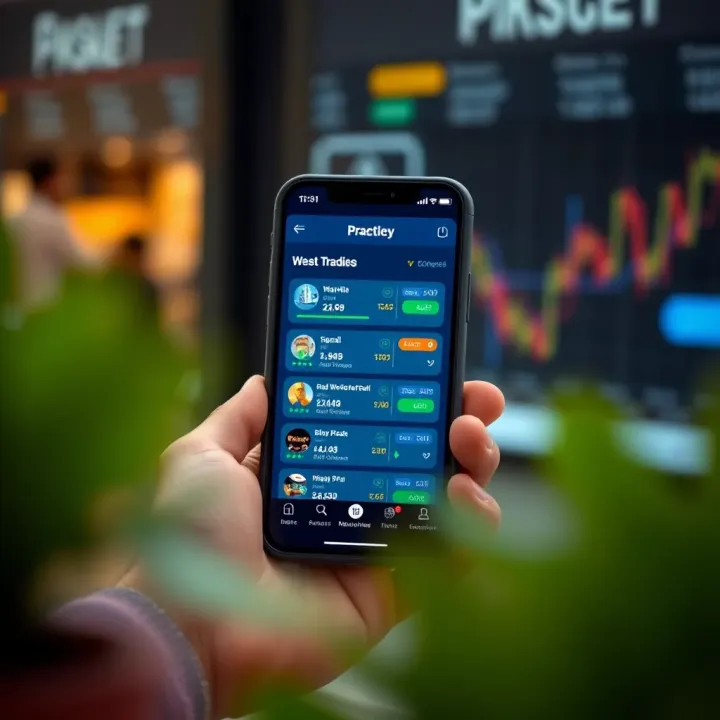
Explore real money trading apps in India with insights on features, safety, legal aspects, payment options, and smart tips for secure, rewarding play 💰📱
Based on 13 reviews