
Is Exness Legal in India? A Clear Look at Regulations
Is Exness legal in India? Understand forex and CFD trading rules, risks for Indian traders, and how to stay compliant with the regulatory framework 🇮🇳📊
Edited By
Edward Shaw
Exness stands out as a trusted platform for online trading, especially among Indian traders keen on forex, commodities, and cryptocurrencies. Logging into your Exness account smoothly is essential to managing trades efficiently and safeguarding your assets.
Whether you are using a desktop, laptop, or mobile device, the login process is straightforward but requires careful attention to security. Missing a step or ignoring security best practices could compromise your account. This guide helps you understand the correct procedures for logging in, highlights security measures to keep your account safe, and points out common login problems along with simple fixes.
Remember, a secure login is your first defence against unauthorised access. Always use official platforms—Exness’s website or their verified mobile apps.
Indian users especially benefit from knowing how the platform adjusts to different devices, given many prefer mobile trading for convenience. We also cover some handy troubleshooting steps that work quickly, so you don't lose valuable trading time.
In the coming sections, you will get:
Step-by-step login instructions for various devices
Tips on setting up two-factor authentication and recognising phishing attempts
Guides to resolving common login errors like forgotten passwords or account lockouts
A clear overview of what to expect in your Exness account dashboard after logging in
By following this guide, you can ensure your trading experience is both secure and efficient on Exness.
Knowing how the Exness login process works is critical for anyone active in trading or managing investments on this platform. Understanding the steps and requirements beforehand helps avoid delays and errors that may interrupt your trading activities or risk account security. For instance, a trader in Mumbai must confirm their credentials and device settings to prevent login failures, especially during critical market hours.
Exness is a widely used online trading platform offering access to forex, commodities, cryptocurrencies, and more. It operates on a model where users create individual accounts tied to their verified identity. Each user account acts as a gateway to the trading environment, including wallets, transaction history, and personalised settings. This structure separates different trading profiles effectively, allowing professional traders and retail investors alike to manage risks and strategies within their own secure workspace.
Before you can log in, you must set up an Exness account. This involves providing basic personal details like your full name, email address, country of residence, and phone number. Exness requires a valid email as it becomes the primary communication channel and recovery option if you forget your password. The process is straightforward but must be completed accurately to avoid complications later when accessing funds or complying with regulations.
Exness follows strict Know Your Customer (KYC) norms mandated by regulatory bodies. To fully verify your account, you need to submit proof of identity, such as a PAN card or Aadhaar card, along with proof of address, like a utility bill or bank statement. These documents undergo review to prevent fraud or money laundering, ensuring a safer trading environment for everyone. Without successful KYC completion, some features or withdrawals might be restricted, so it’s best to complete verification early.
A stable internet connection is essential to access Exness seamlessly, especially during live trading or order placements. Using a modern browser or the Exness mobile app on an updated device improves performance and security. For example, traders using slow 2G networks may experience delays that could affect trade execution. Your device should also have up-to-date antivirus software to prevent phishing attacks or malware that could compromise your login credentials.
Taking care of these login basics beforehand reduces hassles and keeps your trading smooth and secure.
This understanding lays the foundation for a confident and trouble-free experience when you move on to actual login steps and further platform features.
Understanding how to log into Exness smoothly is essential for traders and investors who want uninterrupted access to their accounts. This section walks you through the login process clearly, highlighting important actions and security practices so you can trade and manage funds without a hitch.
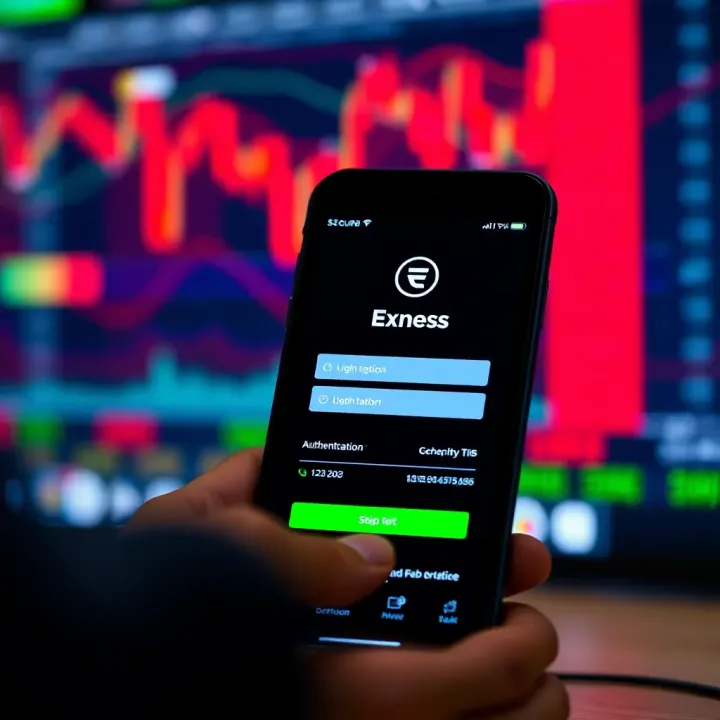
Navigating to the official Exness website is your first step. Always check the URL carefully to avoid landing on phishing sites. For example, typing "exness.com" directly in the browser address bar or bookmarking the official page reduces risk. Avoid clicking on links from unverified emails or ads as these could lead to fake login pages designed to steal credentials.
Next comes entering credentials correctly. Your username and password must match exactly, including case sensitivity. A minor slip like a misplaced capital letter or extra space can block your access. To prevent errors, use a reliable password manager or carefully review your credentials before hitting login. For instance, one trader noted recovering access took longer just because they confused similar characters like zero and the letter 'O'.
If you have two-factor authentication (2FA) enabled, you add a strong shield to your account. After entering credentials, you'll receive a time-sensitive code on an authenticator app or a registered mobile number. This extra step prevents unauthorised access even if your password leaks. Setting up 2FA itself takes a few minutes but pays off by cutting fraud risks dramatically.
Using the Exness mobile app provides a quick, on-the-go way to monitor accounts and trade. Available for both Android and iOS, the app saves time compared to browsers. You get real-time notifications, and biometric login such as fingerprint or face ID speeds up access without compromising safety.
There are minor differences between Android and iOS login processes. On Android, pushing Google Play updates regularly helps avoid glitches during login. iOS users must ensure the app version is compatible with the latest iOS updates. Generally, both platforms require the same credentials but may offer different biometric options based on device capabilities.
For traders handling several Exness accounts, switching between accounts within the platform is handy. The website and mobile app allow you to log out and back in quickly or sometimes toggle between active accounts without repeated full logins. This flexibility means you track multiple strategies or client accounts smoothly.
However, if you've forgotten login details for secondary accounts, handling forgotten login details becomes important. The password reset or username recovery options on Exness work similarly regardless of how many accounts you manage. Always keep backup contacts and updated recovery information to avoid lockout scenarios.
Logging into Exness efficiently is the first step to seamless trading, so knowing these practical details can save both time and headaches amid market action.
Dealing with login problems is common for most users of online platforms like Exness. Knowing how to handle these hiccups quickly can save you from losing valuable trading time. It also strengthens your confidence in using the platform without unnecessary stress. In this section, we cover practical issues like forgotten passwords, account lockouts, and technical glitches, providing clear solutions to keep your access smooth.
Resetting password: Forgetting your password can stall your trading activities, especially during volatile market conditions. Exness makes it easy to reset your password through a secure process. You will typically receive a reset link or OTP (one-time password) on your registered email or mobile number. Always ensure your contact details are up to date so you can regain access swiftly.
Recovering username: Sometimes traders forget their username, which is key to logging in. Exness usually allows recovery by verifying your registered email or phone number. This is crucial because repeating wrong login attempts may lock your account. Keeping a note of your username or linking it to your email saves this hassle.
Ensuring correct input and case sensitivity: Exness usernames and passwords are case-sensitive. That means ‘Trader123’ is different from ‘trader123’. Small errors like capitalising the wrong letter or extra spaces can lead to login failure. Double-check your input, especially on mobile keyboards that sometimes auto-correct or capitalise words.
Reasons for account lockout: Your Exness account can get locked temporarily after multiple failed login attempts as a security measure. Other reasons include suspicious activities flagged by their system or incomplete KYC (Know Your Customer) verification. This helps protect your funds but can disrupt your access.
Steps to regain access: To unlock your account, follow the instructions provided in the lockout notification or email. Normally, you wait for a cooling period or submit identification documents to verify your identity. Once verified, you can reset your password and resume trading.
Contacting Exness customer service: If you are stuck and can’t regain access, Exness customer support is the next best option. They offer help through chat, email, or phone. Keeping your account details handy speeds up the process. Remember, never share your password with anyone, including support representatives.
Browser compatibility and cache clearing: Sometimes, old cache or cookies cause login problems. Using an outdated browser can also create troubles. Clearing your browser’s cache or trying a different one often resolves this. For example, if you face issues on Chrome, try Firefox or Edge.
Mobile app glitches: The Exness mobile app may occasionally freeze or crash during login due to bugs or pending updates. Restarting the app or reinstalling it can fix most glitches. Also, ensure your device OS is compatible and updated.
Internet connectivity issues: A slow or unstable net connection can interrupt the login process, leading to errors or timeouts. Using a reliable Wi-Fi network or a mobile data plan with good coverage is advisable. In metro cities like Mumbai or Bengaluru, switching between 4G and 5G may affect connectivity, so test different networks if login fails.
Quick login fixes save you time and keep your Exness trading uninterrupted. Being prepared with simple troubleshooting steps can make all the difference.
Protecting your Exness account goes beyond just logging in. Traders must take active steps to secure their investments and personal data against evolving threats. Strengthening your account's security not only prevents unauthorised access but also safeguards your trading strategies and funds.
Two-Factor Authentication (2FA) adds a vital extra layer of protection to your Exness account by requiring a secondary code apart from your password. This code is usually generated by an authentication app like Google Authenticator or sent via SMS to your registered mobile device. For instance, even if someone manages to steal your password, they can't log in without this temporary code. Activating 2FA drastically reduces the risk of account breaches, especially for traders frequently using public or shared networks.
A strong password is the first line of defence against hacking. Avoid predictable combinations such as "password123" or your birthdate. Instead, use a mix of uppercase, lowercase letters, numbers, and symbols. For example, a password like "Exn3ss@2024!" is harder to crack. Equally important is not reusing passwords across multiple platforms. Using unique passwords ensures that even if one account is compromised, your Exness login remains safe. Consider using a reputable password manager to generate and store complex passwords without the hassle of memorising them.
Phishing scams prey on traders by mimicking official Exness pages to steal credentials. Fake login portals often have subtle differences such as incorrect URLs, missing security certificates, or poor-quality logos. Always double-check the website address before entering your details. For instance, a phishing site might use "exnness.com" instead of "exness.com". Paying attention to browser security indicators like the padlock icon can help verify site authenticity. Being cautious can save you from falling victim to identity theft and financial loss.
Beyond vigilance over login pages, adopting safe online habits is essential. Never click on links claiming urgent account issues without verifying their source. Official Exness communications will not ask for your password via email or message. Regularly update your devices and software to patch known vulnerabilities. Plus, avoid using public Wi-Fi when accessing sensitive accounts, or use a VPN if necessary. If something feels off, confirm through official channels before taking action. These steps not only protect you from scams but also enhance your overall trading experience by keeping your account secure.
Staying ahead of cyber threats requires constant attention to security details. Implementing these practices helps you trade with peace of mind on Exness.
Once you log into your Exness account, understanding how to navigate the interface is essential for smooth trading and effective account management. The platform offers various tools and settings that help tailor your trading experience. Familiarity with these aspects ensures you can take quick action, whether it's placing orders, checking balances, or adjusting preferences.
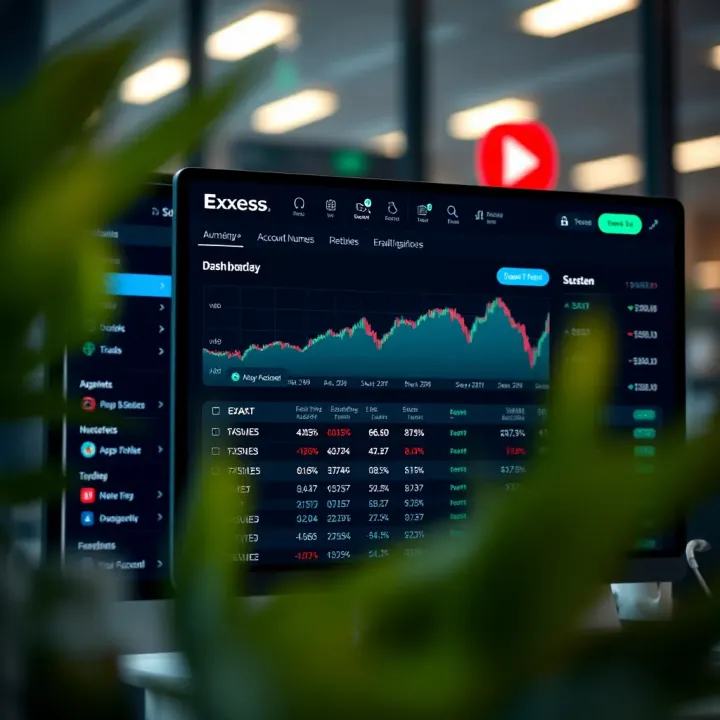
The Exness account dashboard serves as your control centre. It summarises vital information such as your account balance, margin, open positions, and recent transactions. For instance, a trader based in Mumbai can quickly view available margin before entering new trades, helping prevent overleveraging. The dashboard also displays alerts or notifications from Exness, like margin calls or promotions, keeping you updated without needing to dig through menus.
The layout is designed for clarity, grouping financial data and trading options into easily accessible sections. This setup reduces the time spent on administrative tasks, allowing more focus on market analysis and decision-making.
MetaTrader 4 and MetaTrader 5 access: Exness supports both MetaTrader 4 (MT4) and MetaTrader 5 (MT5), two of the most popular trading platforms globally. MT4 is known for its straightforward interface and is preferred by beginners and forex traders, while MT5 offers enhanced features like additional timeframes and an expanded range of technical indicators, suiting experienced traders and those dealing in multiple asset classes. Through your Exness dashboard, launching either platform is a matter of a few clicks, enabling swift transition from account management to active trading.
Using the Exness Web Terminal: The Exness Web Terminal enables live trading directly from a browser without the need to install software. This can be especially handy if you're using a shared or public computer or prefer not to download additional apps. The Web Terminal supports key functions such as order placement, chart analysis, and accessing trading history. For example, a trader working from a café in Pune can monitor the markets and manage trades on the fly without installation hassles.
Managing account settings helps customise how you interact with the Exness platform. These settings include choosing default trading accounts, setting notifications, adjusting leverage, and updating personal details. You might want to enable alerts on your mobile for price levels or margin status to stay informed on the go.
Changing preferences like interface language, time zone, or currency base aligns the platform with your comfort and location, thus improving your overall trading experience. Since Indian traders often work with INR as the base currency, setting this in account preferences avoids constant currency conversion and helps keep better track of profits and losses.
Navigating your Exness account effectively post-login can make all the difference between a clumsy trade and a well-timed opportunity. Taking the time to explore the dashboard, access trading tools, and customise settings lays the groundwork for smarter trading.
Whether you’re a novice trying out your first trades or a seasoned investor managing multiple accounts, the Exness dashboard provides the necessary control and insight to stay ahead in today’s dynamic markets.
Is Exness legal in India? Understand forex and CFD trading rules, risks for Indian traders, and how to stay compliant with the regulatory framework 🇮🇳📊
Explore Qutex trading 📈: learn fundamentals, platform features, trading strategies & risk management tips for traders in India and worldwide.
Explore Quotex, a detailed trading platform guide 📊—features, strategies, registration, safety tips & support options for Indian users. Trade smarter today!
🔑 Master Quotex trading login with our detailed guide! Access features, solve issues, secure your account, use mobile, and get support easily.
Based on 7 reviews